FAQ: How do I add a movie not found in the
reference catalog?
- Open "My Catalog" with the File>Open Discs Form command.
- Go to the title where you want to add a new movie.
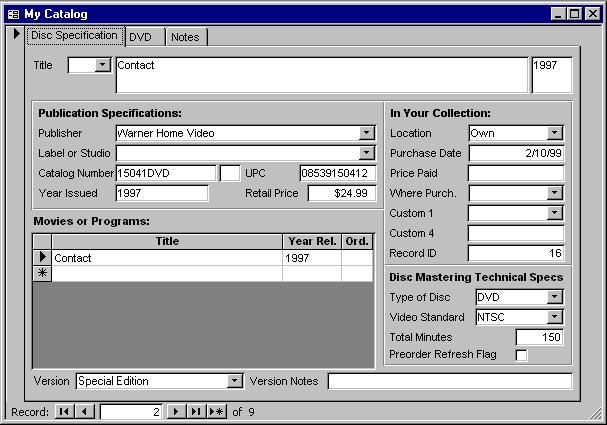
- In the Movies or Programs subform of the My Catalog form there is a list
of movies that are included on the disc. Select the last row in the grid
that is the blank row and then type the title of the movie. Now click
elsewhere on the form and the new movie title will be saved. Click back on
the new title that you just added.
- Open "My Movies of Programs" with the File>Open Movies Form
command.
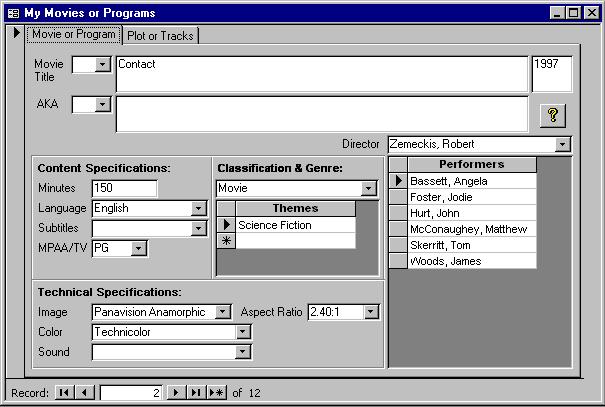
- "My Movies and Programs" is a tracking form and movie that is
displayed is the one that is selected in "My Catalog". If the
movie you just created is selected then it will be displayed in "My
Movies" Fill in the other fields as needed.

Copyright © DVD Register. All rights reserved.
Revised August 17, 2009