FAQ: Why Can’t I Add Performers to a Movie?
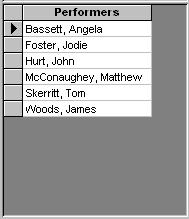
In view mode you can delete but not add performers. To add
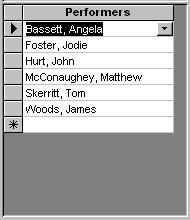
performers you need to toggle the subform into Edit mode. Use the  button on the tool bar to toggle the mode. The subform will now display a drop
down list for each performer and will have a last empty row for adding a new
performer.
button on the tool bar to toggle the mode. The subform will now display a drop
down list for each performer and will have a last empty row for adding a new
performer.
Click
the button on the tool bar to
toggle the mode back to view mode.